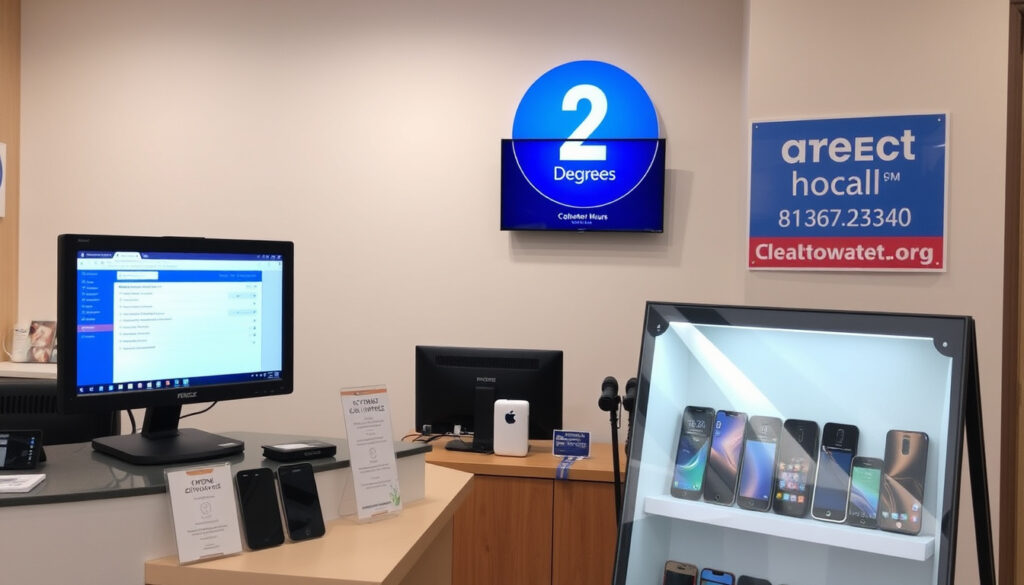
2 Degrees Sylvia Park: Contact, Hours & Troubleshooting
There’s a moment every broadband customer knows: the WiFi drops, the router blinks, and the whole evening grinds to a halt — but if you’re in Mount Wellington, the 2degrees store inside Sylvia Park Mall at Shop 10, 286 Mount Wellington Highway (listed on Sylvia Park’s official store directory) is the most direct way back to normal. Everything you need lives on this page: store hours, the direct phone line, how to check current deals, and 2degrees’ own step-by-step recovery steps for a dead connection.
Address: Shop 10, Sylvia Park Mall, 286 Mount Wellington Highway · Sunday hours: 9:00 AM – 7:00 PM · Store phone: 09 915 0151 · Broadband: Fibre, Wireless 4G/5G, VDSL, ADSL
Quick snapshot
- Store address: Shop 10, Sylvia Park Mall, 286 Mount Wellington Highway, Auckland 1060 (Sylvia Park’s official store directory)
- Store phone: 09 915 0151 (Sylvia Park’s official store directory)
- Open 7 days, until 9pm on Thursday and Friday (Sylvia Park’s official store directory)
- Current phone deals change quickly — the live list is on the official website (2degrees’ official website)
- Real-time network issues vary by street — check the status page before troubleshooting (2degrees’ official website)
- The store keeps late hours Thursday and Friday until 9:00 PM (Sylvia Park’s official store directory)
- Customer care: 8am to 8pm Mon–Sat, 10am to 8pm Sundays and public holidays (2degrees’ help centre)
- If broadband fails: restart the modem, check the lights, then call 0800 022 022 option 9 (2degrees’ broadband troubleshooting guide)
- For plan questions, visit the store or use the online chat on 2degrees.nz (2degrees’ official website)
Ten facts, one pattern: every practical question about the store and the connection routes back to one of two authorities — the mall’s own directory or the provider’s help centre.
| Detail | Value | Reference |
|---|---|---|
| Address | Shop 10, Sylvia Park Mall, 286 Mount Wellington Highway, Mount Wellington, Auckland 1060 | Sylvia Park store directory |
| Store phone | 09 915 0151 | Sylvia Park store directory |
| Monday – Wednesday | 9:00 AM – 7:00 PM | Sylvia Park store directory |
| Thursday – Friday | 9:00 AM – 9:00 PM | Sylvia Park store directory |
| Saturday – Sunday | 9:00 AM – 7:00 PM | Sylvia Park store directory |
| Customer care line | 0800 022 022 | 2degrees help centre |
| Technical escalation | 0800 022 022, option 9 | 2degrees broadband guide |
| Customer care hours | 8am to 8pm Mon–Sat; 10am to 8pm Sun and public holidays | 2degrees help centre |
| First broadband fix | Unplug the modem from power for 30 seconds | 2degrees broadband guide |
| Broadband types | Fibre, Wireless 4G/5G, VDSL, ADSL | 2degrees official site |
Where is 2 degrees Sylvia Park?
The store sits inside the mall rather than on the street, so the address that works for maps, rideshare, and parking is the mall’s own address. Sylvia Park’s store listing is the authoritative reference for the shop’s exact spot (Sylvia Park’s official store directory).
What is the address?
- Street address: Shop 10, Sylvia Park Mall, 286 Mount Wellington Highway, Mount Wellington, Auckland 1060 (Sylvia Park’s official store directory)
Enter the full mall address into your navigation app — the store is inside the centre, so the trip ends at the mall entrance, not at a standalone shopfront.
What are the opening hours?
Sylvia Park’s listing for the store sets these hours (Sylvia Park’s official store directory):
- Monday – Wednesday: 9:00 AM – 7:00 PM
- Thursday – Friday: 9:00 AM – 9:00 PM
- Saturday – Sunday: 9:00 AM – 7:00 PM
The Thursday and Friday 9pm closes are the standout detail for commuters: the store is still open after a regular workday plus dinner.
How to get there by public transport?
- Check current bus and train routes in Auckland Transport’s journey planner before you head out.
- For driving or rideshare, enter “286 Mount Wellington Highway” as the destination.
Sylvia Park’s centre information page (Sylvia Park’s centre information) covers access and directions, while live timetables are best checked in the journey planner.
The pattern: the store’s hours stretch to 9pm twice a week, which turns the Sylvia Park 2degrees visit from a weekend errand into an after-work option. On other weekdays, the 7pm close means lunchtime or Saturday is the practical window.
How do I talk to a real person at 2 degrees?
There are three direct routes to a human at 2degrees: the store’s own phone line, a walk-in at Sylvia Park, and the online chat. Which one works best depends on whether you have a store question or a technical one.
Call the store directly
- Store number: 09 915 0151, listed by the mall for the 2degrees shop (Sylvia Park’s official store directory)
- The line is live during mall hours — Monday to Wednesday 9am to 7pm, Thursday and Friday 9am to 9pm, Saturday and Sunday 9am to 7pm.
This is the number for store-specific questions: stock, plan changes, or a quick check on what the team can do before you drive over.
Visit the Sylvia Park store
- Walk-ins are welcome during mall hours at Shop 10, Sylvia Park Mall (Sylvia Park’s official store directory)
- For anything that drags on as a phone call, the store is the face-to-face option — same questions, one conversation.
A visit works well for people who want to compare options with someone in front of them, or who prefer not to explain account issues over the phone.
Use the 2degrees online chat
- Online chat is available through the 2degrees website (2degrees.nz) (2degrees’ official website)
- Customer care phone: 0800 022 022 (2degrees’ help centre)
- Customer care hours: 8am to 8pm Monday to Saturday, 10am to 8pm Sundays and public holidays (2degrees’ help centre)
If you need the technical team, dial 0800 022 022 and choose option 9 — that’s the route 2degrees’ own broadband guide gives for connection faults that survive a restart.
What are the current phone deals at 2degrees?
Deals at 2degrees change often, so any price list written today can be stale within days. The honest answer is that offers are easier to confirm than to predict — and the official website is the single reference point, with the store as the human check.
Prepaid deals
- Prepaid plans and recharge promotions are listed on the 2degrees website (2degrees’ official website)
- The Sylvia Park team can confirm which prepaid offers are live this week — call 09 915 0151 (Sylvia Park’s official store directory)
Since prepaid pricing shifts quickly, a quick call beats an unnecessary trip.
Broadband bundles
- 2degrees sells Fibre, Wireless 4G/5G, VDSL and ADSL broadband options (2degrees’ official website)
- Broadband and mobile bundles are available, putting your phone plan and home internet on one account (2degrees’ official website)
The current bundle pricing for your address is what the store or the website will quote; the range of network types is the part that stays stable.
Phone upgrade offers
- Current offers may include discounted phones when taken with a plan (2degrees’ official website)
- Upgrade eligibility depends on your account and plan status — the store phone (09 915 0151) is the quickest way to check yours (Sylvia Park’s official store directory)
The catch: every phone deal has a plan attached, so the useful question isn’t only “how much is the handset” — it’s what the plan costs over the full term. Check the official site first, then use 09 915 0151 to confirm stock before travelling.
What are the current issues with 2degrees?
Network problems are rarely universal — the fault that knocks out one street can leave the next suburb untouched. That’s why the right first question is not “is 2degrees down?” but “is it down where I am?”
Network outages
- Outage status is location-specific; the official status update on 2degrees.nz is the reference (2degrees’ official website)
- Common causes include network congestion and planned maintenance (2degrees’ official website)
If the status page shows a reported issue in your area, the practical response is to give it time and re-test rather than resetting hardware repeatedly.
Internet downtime
- For home broadband that stops working, run the restart sequence before assuming a network fault (2degrees’ broadband troubleshooting guide)
- If the connection still fails after the restart checks, call the technical team on 0800 022 022 and choose option 9 (2degrees’ broadband troubleshooting guide)
If the connection still does not work after those steps, call the technical team on 0800 022 022 and choose option 9. A modem that won’t reconnect after a full reset is the classic signal that the problem sits outside your house.
How to check 2degrees status
- Check the official 2degrees status information on the provider’s website (2degrees’ official website)
- For a fault specific to your home, call 0800 022 022 and follow the prompts to the technical team.
The provider’s own status page is the reference that decides your next step. What this means: a status check first, then one clean modem restart, answers most “is it down?” moments. The cases that survive both steps are the ones worth escalating to the technical team on 0800 022 022.
Why is my internet not working?
When the internet dies, the cause is usually one of four things: a modem that needs a restart, a cable that has worked loose, a device with broken network settings, or a network fault outside your house. The order you check them matters.
Check for outages
- Start with the official 2degrees status information (2degrees’ official website)
- If an outage is reported for your area, the best move is to wait it out before pulling plugs.
An outage confirmation saves you from the classic wasted cycle: restarting everything while the network is already down.
Restart your router or modem
- Unplug the modem from power, or switch it off at the wall, for 30 seconds to reset the system (2degrees’ broadband troubleshooting guide)
- After the restart, if the WLAN light is off, press the WLAN button on top of the modem to turn WiFi back on (2degrees’ broadband troubleshooting guide)
The provider’s own guide opens with the 30-second reset. Skipping it — or cutting it short — is the fastest way to be back on the phone with the same fault.
Inspect cables and connections
- If the Power/DSL light is off, check the power cables and try another power point (2degrees’ broadband troubleshooting guide)
- If the ONT Power light is off, check the ONT power cables for damage (2degrees’ broadband troubleshooting guide)
- If the ONT LAN1 light is off, check that the Ethernet cable between the modem and ONT is secure (2degrees’ broadband troubleshooting guide)
The light sequence tells you which half of the connection has failed. Power/DSL concerns the modem; the ONT lights concern the fibre connection itself, so cables matter there.
Test with another device
- If only one device can’t connect, the fault is in that device’s network settings, not the broadband (2degrees’ mobile device guide)
- For mobile data: install the latest software, turn data roaming on, set network mode and operator selection to automatic, and set the APN to internet (2degrees’ mobile device guide)
- WiFi Calling can help in areas with low cellular reception when you have a compatible device and a solid WiFi signal (2degrees’ mobile device guide)
For households where the cellular signal is weak at home but broadband is solid, WiFi Calling can keep calls working when the network bars don’t.
Remember to place the modem in a central location near the devices you use most, and keep the cable between the jack point and the modem as short as possible — both are part of the provider’s own placement advice (2degrees’ broadband troubleshooting guide). The pattern: 2degrees’ own troubleshooting is a ladder — restart, check lights, check cables, then call. Working it in that order either clears the fault quickly or proves it belongs to the network side, which is the only case the technical team needs to escalate.
The pattern: a methodical troubleshooting sequence saves time and often avoids a store visit.
Step-by-step: the 2degrees recovery sequence
This is the condensed version of the provider’s own guide — the order to follow when broadband or mobile data drops out of the blue.
- Check the status page — confirm there isn’t a reported outage in your area (2degrees’ official website).
- Restart the modem — unplug it from power or switch it off at the wall for a full 30 seconds (2degrees’ broadband troubleshooting guide).
- Re-check the lights — if the WLAN light is off after restart, press the WLAN button on top of the modem (2degrees’ broadband troubleshooting guide).
- Inspect cables — confirm power cables are seated, check the ONT power cable for damage, and ensure the Ethernet cable between the modem and ONT is secure (2degrees’ broadband troubleshooting guide).
- Test a second device — if one device works while another doesn’t, the problem is device-side, not network-side (2degrees’ mobile device guide).
- Escalate — call the technical team on 0800 022 022 and choose option 9 (2degrees’ broadband troubleshooting guide).
Customer care is reachable from 8am to 8pm NZST Monday to Saturday and 10am to 8pm on Sundays and public holidays (2degrees’ help centre). If your internet dies late on a Sunday, the modem reset is your after-hours technician.
The store stays open until 9pm on Thursday and Friday — the latest window of the week for in-person help. On weekdays the mall closes at 7pm, but customer care runs to 8pm, so the phone line outlasts the shopfront.
The consequence: if you work this sequence on a Sunday and the connection comes back, you’ve saved yourself a Monday store trip. If it doesn’t, you walk into the call with the technical team already knowing which step failed.
What’s confirmed, what’s unclear
Not everything about the Sylvia Park store can be pinned down on a static page. The distinction matters when you’re deciding whether to drive there or just call.
Confirmed facts
- Store address: Shop 10, Sylvia Park Mall, 286 Mount Wellington Highway, Mount Wellington, Auckland 1060 (Sylvia Park’s official store directory)
- Store phone: 09 915 0151 (Sylvia Park’s official store directory)
- Opening hours across all seven days (Sylvia Park’s official store directory)
- Broadband types offered: Fibre, Wireless 4G/5G, VDSL, ADSL (2degrees’ official website)
- Customer care hours and technical escalation path (2degrees’ help centre)
What’s unclear
- Current phone deals — they change often, and the live list sits on the 2degrees website (2degrees’ official website)
- Real-time network status for your exact street — check the official status page at the moment something fails (2degrees’ official website)
- What services the Sylvia Park location personally offers, such as repairs — call 09 915 0151 to confirm (Sylvia Park’s official store directory)
- Whether WiFi Calling will actually rescue your particular connection — it depends on device compatibility and existing WiFi quality (2degrees’ mobile device guide)
- Exact plan pricing for your address and bundle — confirmed with the store or the official website (2degrees’ official website)
The implication: the store-side facts (address, hours, phone) are stable enough to plan a trip around. The deal and outage side moves daily, so the phone call before you leave is the difference between a productive visit and a wasted one.
In their own words
The most useful instructions are the ones straight from the source — the mall’s listing for the store and the provider’s own help guides.
“Unplug the modem from power or switch it off at the wall for 30 seconds to reset the system.”
2degrees’ broadband troubleshooting guide
“If the connection still does not work after those steps, call the technical team on 0800 022 022 and choose option 9.”
2degrees’ broadband troubleshooting guide
“2degrees at Sylvia Park is open Monday to Wednesday 9am to 7pm, Thursday and Friday 9am to 9pm, and Saturday and Sunday 9am to 7pm.”
Sylvia Park’s official store directory
“The store is listed at Sylvia Park Mall, 286 Mount Wellington Highway, Mt Wellington, Auckland 1060.”
Sylvia Park’s official store directory
Both are primary sources — the mall operates the listing the store appears in, and the provider writes the guide the instructions come from. That’s why these numbers are safe to plan around.
The Sylvia Park store is the human end of 2degrees’ support system, but on the night the internet dies, the fix usually starts at the modem, not the mall. For Mount Wellington households, the recovery path is predictable: restart the modem for a full 30 seconds, check the light sequence, inspect the cables, test another device, and only then call 0800 022 022 (option 9). For anyone in the area with a deadline on the line, the choice is clear: run the 2degrees reset sequence first — or spend the evening waiting for help a reboot would have cleared in one minute.
sylviapark.com, sylviapark.com, waze.com, supergold.govt.nz, 2degrees.nz, 2degrees.nz, whitepages.co.nz, help.2degrees.nz, 2degrees.nz, sylviapark.com
Frequently asked questions
What are the opening hours of 2degrees Sylvia Park?
Monday to Wednesday 9:00 AM – 7:00 PM, Thursday and Friday 9:00 AM – 9:00 PM, and Saturday and Sunday 9:00 AM – 7:00 PM, per Sylvia Park’s official store directory (Sylvia Park’s official store directory).
What is the 2degrees Sylvia Park contact number?
The store’s direct line is 09 915 0151 (Sylvia Park’s official store directory). For the technical team, call 0800 022 022 and choose option 9 (2degrees’ broadband troubleshooting guide).
Can I log into my 2degrees account at the store?
If you need account help, the store team is the in-person option — call 09 915 0151 before travelling to confirm what they can handle on the spot (Sylvia Park’s official store directory). For self-service, log in through the My 2degrees app or the 2degrees website (2degrees’ official website).
Is there parking at Sylvia Park Mall?
Sylvia Park is a large shopping centre with on-site parking; the mall’s own website is the authoritative source for parking maps and access details (Sylvia Park’s centre information).
Does 2degrees offer phone repairs at the store?
The fastest way to find out what services the Sylvia Park store offers is to call the store directly on 09 915 0151 (Sylvia Park’s official store directory). Services like repairs are location-specific, so a quick call beats a wasted trip.
What should I do if my broadband stops working over the weekend?
Restart the modem by unplugging it from power for 30 seconds, check that the WLAN, Power/DSL and ONT lights are healthy, and test a second device (2degrees’ broadband troubleshooting guide). Customer care is open Sundays from 10am to 8pm on 0800 022 022 — choose option 9 for the technical team.
More related posts
 1L Stainless Steel Drink Bottle NZ: Prices & Brands
 The Strange Thing About the Johnsons: Where to Watch & More
 Best Air Purifiers for Allergies (2025): Expert Picks
 Cheap Car Insurance Quotes: Who Has the Cheapest in Ireland
 Liam Lawson Racing Bulls F1: Dropped After 2 Races
 On The Point Rotorua: Luxury Lakeside Lodge Travel Guide
 Early Stage Chicken Pox: Symptoms, Day 1, and Rash Progression
 Best Small Business Invoice Software: Top Picks for Ireland